
Download Dolly AI – Create Your WhatsApp Chat Clone, Free & Secure AI Tool
What Is Dolly AI and Why It Matters
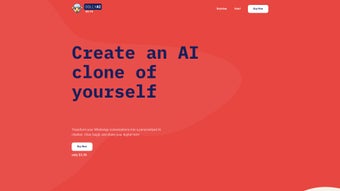
Dolly AI is a groundbreaking web‑based application that turns your WhatsApp conversation history into a personal AI clone. By feeding the tool with selected chat logs, Dolly AI learns the nuances of your writing style, humor, tone, and even emotional cues. Within roughly fifteen minutes, the system produces a digital twin that can hold entertaining conversations that sound unmistakably like you. The concept is simple yet powerful: you connect your WhatsApp account, choose the chats you want to use for training, and let the AI do the rest. The result is a playful, responsive chatbot that you can share with friends for light‑hearted banter, role‑playing, or simply to see how an algorithm interprets your personality.
The service emphasizes privacy above all. All WhatsApp data used for training is automatically deleted after the model has been built, and you retain full control over which chats are included. Dolly AI does not store personal messages, phone numbers, or any identifiable information beyond the brief training window. This privacy‑first approach makes the tool suitable for casual users who want a fun experience without compromising their data security.
While Dolly AI currently supports only WhatsApp and works best with a single language per clone, its user‑friendly interface, rapid setup, and entertaining output make it a unique addition to the growing list of AI‑driven personalisation tools. Whether you’re looking to create a humorous sidekick for group chats or simply explore the capabilities of conversational AI, Dolly AI offers a fresh, engaging experience that is both accessible and secure.
Key Features That Set Dolly AI Apart
- Chat‑Based Personality Training: Uses real WhatsApp messages to capture your unique voice, humor, and phrasing.
- Rapid Model Generation: The AI clone is ready in about 15 minutes after you finish selecting chats.
- Privacy‑Centred Architecture: All source data is permanently erased after training; no long‑term storage of personal messages.
- Shareable AI Clones: Export a link to your clone so friends can interact with “you” without needing your phone.
- Customisable Training Sets: Choose specific conversations, groups, or time periods to fine‑tune the clone’s knowledge base.
- Web‑Only Accessibility: No need to download a heavy client; works directly from modern browsers on any device.
- Emotion‑Aware Responses: The AI can detect and mirror emotional tones present in the training data, creating more natural interactions.
These features combine to create a tool that feels both personal and technically impressive. The ability to select exactly which chats feed the model gives users granular control over the clone’s knowledge, reducing the risk of unwanted or sensitive information leaking into the AI’s responses. Moreover, the web‑only design eliminates the friction of installing native apps, making Dolly AI instantly reachable from Windows, macOS, Android, or iOS browsers.
The platform’s focus on entertainment does not sacrifice quality. By analysing syntax patterns, emoji usage, and contextual cues, Dolly AI produces replies that often surprise users with how closely they mimic the original author’s style. Although it currently lacks multi‑language support, the single‑language precision ensures that the generated dialogue feels authentic and consistent.
Installation, Usage & Compatibility Guide
Step‑by‑Step Setup
- Visit the Dolly AI website: Open any modern browser (Chrome, Edge, Safari, Firefox) and navigate to the official Dolly AI portal.
- Sign in with WhatsApp: Click the “Connect WhatsApp” button. You will be prompted to scan a QR code using the WhatsApp mobile app, similar to linking WhatsApp Web.
- Select Training Chats: After successful connection, a list of your recent conversations appears. Use the checkboxes to pick the chats you want the AI to learn from. You can deselect any private or sensitive threads.
- Start Training: Hit the “Generate Clone” button. The backend AI begins analysing the selected messages. This process typically finishes within 15 minutes.
- Interact with Your Clone: Once ready, a chat interface opens where you can type queries or start casual conversation. The clone responds in real time, using the learned style.
- Share the Clone: Click “Share Link” to copy a URL that friends can use to chat with your AI twin. No additional login is required for them.
System Requirements & Operating System Support
Dolly AI is a cloud‑based service accessed through a web browser, so it works on any operating system that supports modern HTML5 browsers. This includes:
- Windows 10/11 (Chrome, Edge, Firefox)
- macOS Ventura and later (Safari, Chrome, Firefox)
- Linux distributions with recent browsers
- Android 9+ (Chrome, Firefox)
- iOS 13+ (Safari, Chrome)
Because no software is installed locally, the performance largely depends on your internet connection and the speed of the browser’s JavaScript engine. A stable broadband connection (minimum 5 Mbps) is recommended for smooth QR‑code scanning and rapid model generation.
Best Practices for Optimal Results
- Choose chats that reflect a broad range of your language – jokes, serious talks, emojis, and slang.
- Avoid using very short or highly repetitive conversations, as they can limit the AI’s ability to generalise.
- Periodically regenerate the clone if your communication style evolves over time.
- Keep the training data size moderate (around 2,000–5,000 messages) for the fastest processing.
Pros, Cons & Frequently Asked Questions
Advantages of Using Dolly AI
- Fun and Personalised Interaction: Experience a chatbot that truly sounds like you.
- Zero Installation Required: Accessible directly from any browser.
- Strong Privacy Controls: All source messages are deleted after training.
- Quick Turnaround: Ready to chat in about fifteen minutes.
- Easy Sharing: Send a simple link to let friends talk with your AI twin.
Limitations to Keep in Mind
- Only supports WhatsApp as a data source; no integration with other messaging platforms.
- Lacks multi‑language support – the clone works best with a single language per training set.
- Entertainment‑focused; not intended for professional or customer‑service use.
- Dependent on an internet connection; offline use is not possible.
FAQ – Your Common Questions Answered
How secure is my WhatsApp data during the training process?
Dolly AI processes your selected messages on secure servers and automatically deletes all raw chat data once the AI model is built. No personal messages are stored long‑term, and the platform does not retain any identifiers beyond the training session.Can I update my AI clone after it’s created?
Yes. You can re‑run the generation process with new or additional chats at any time. This will replace the existing clone with an updated version that reflects the newer data.Is Dolly AI free to use?
The basic clone generation is free. Advanced features, such as higher message limits or priority processing, are offered under a paid plan. All pricing details are displayed on the offers section of the site.Final Thoughts and How to Get Started
Dolly AI stands out as a playful yet technically sophisticated tool that bridges personal messaging with modern AI. Its emphasis on privacy, rapid setup, and the ability to produce a chatbot that genuinely mimics your own voice makes it a compelling option for anyone looking to experiment with conversational AI without the hassle of complex installations or data‑heavy downloads.
If you enjoy sharing quirky experiences with friends, want a quick way to showcase AI’s potential, or simply love seeing how an algorithm interprets your humor, Dolly AI is ready for you. The web‑only design ensures you can start on any device—whether you’re on a Windows laptop, a MacBook, or a mobile phone—without worrying about compatibility issues.
Ready to meet your digital twin? Click the button below to launch Dolly AI, connect your WhatsApp, and watch the magic happen in under a quarter of an hour. Remember, your privacy is safeguarded, and the first clone is free. Dive in now and start chatting with the new “you”!



.png)



